Learn
Backtest vs Live Trading: What EA Results Really Show
At a glance
A backtest shows how an EA behaved on historical data under specified assumptions. A live record shows what happened on an actual funded account. Neither guarantees future results. Compare the software, settings, dates, costs and execution conditions before interpreting a difference between them.
On this page

An attractive backtest and a disappointing live period do not, by themselves, identify what went wrong. The comparison needs a record of what was tested and what actually ran. This guide provides a way to separate different kinds of evidence and investigate a mismatch.
It covers EA evaluation on MT4 and MT5, with MT5-specific tester features labelled explicitly. Platform documentation checked: 20 September 2026. If you are still choosing software, start with our expert advisor buying checklist.
Disclosure: RoboXpert is developing its own trading software. This guide does not report a hands-on EA test or recommend a product. AI assisted with research and drafting. The author has approved this guide for publication. The calculation below is hypothetical. See our editorial disclosure.
If your EA does not place orders at all, use our MT5 EA diagnostic guide to separate startup, permissions, signal conditions and order responses.
Four types of evidence
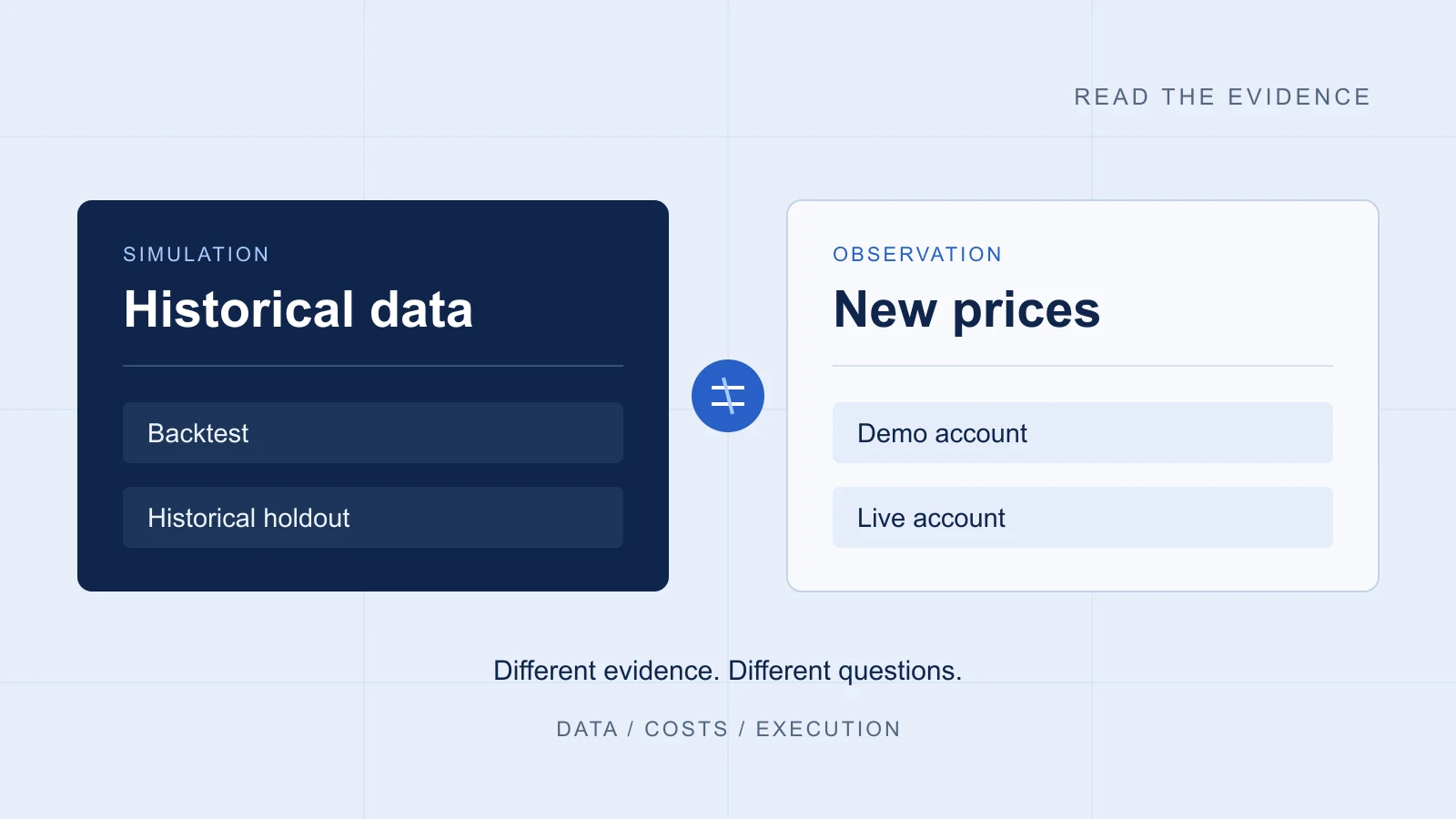
Identify the environment before reading the return figure. These categories answer different questions; they are not four badges on a ladder to guaranteed profitability.
Scroll horizontally if needed
| Evidence | What it describes | What remains unresolved |
|---|---|---|
| Historical backtest | A simulation on past data with stated settings | How the same rules behave outside that model |
| Historical holdout | A later historical period excluded from the stated selection process | Whether repeated inspection influenced the final choice |
| Demo forward test | Operation on a demo account as new prices arrive | Funded-account execution and costs |
| Live-account record | Activity on a funded account during a specified period | Future outcomes and attribution to the advertised EA |
A live account can include manual trades or several robots. Ask which product version and settings generated which activity. Myfxbook's Track Record verification concerns agreement with broker history; Trading Privileges concerns control of the account. Those checks do not establish that one EA produced every trade. Myfxbook explains the distinction.
For a practical walkthrough, use our guide to verifying EA results on Myfxbook, including drawdown, open exposure and software attribution.
Why a backtest can differ from live trading
The data and price path may differ
In MT5, real-tick testing and generated-tick testing use different inputs. MetaQuotes notes that real-tick spreads can change within a minute, while generated ticks use the corresponding minute bar's spread. It also describes generating ticks when minute data exists but tick data is missing. Read the real- and generated-tick documentation.
Record the broker data source, symbol, dates and modelling mode. “Real ticks” is useful information about the data; it does not turn simulated orders into actual fills. Inspect the journal for data gaps rather than treating a mode name as a complete quality assessment. How the MT4 and MT5 testers model prices, and what MT4’s modelling quality figure measures, is the subject of our MT4 vs MT5 backtest guide.
When comparing risk, identify whether each report uses balance or equity and which drawdown definition it applies. Our equity vs balance drawdown guide shows why even two correct percentages can answer different questions.
Execution and costs are assumptions to inspect
MT5 can simulate execution delays and configure commissions. Its No Delay mode models ideal execution, while profit calculation in pips omits commission and swap calculations. A report is therefore only interpretable alongside its configuration. These are MT5 details, not instructions to assume identical options in MT4. MetaTrader's testing documentation describes the settings and their limitations.
For your comparison, list what is already included in the reported profit. Spread may already be reflected in trade prices. Adding it again would overstate costs; omitting commission would understate them. Record unknowns explicitly.
A different period is a different comparison
Comparing a historical year with a recent live month mixes execution differences with different market conditions. First label the dates. Where records permit, compare the same dates, software version and settings; keep a separate note for differences you cannot remove.
What does forward mean in MT5?
MT5's Strategy Tester Forward option splits a selected historical period. Optimisation uses the earlier portion, then selected parameter sets are evaluated on the later portion. MetaQuotes describes the purpose as avoiding overfitting: parameters fitted to particular stretches of historical data. Both portions are historical; the later portion is a historical out-of-sample check, the “historical holdout” in the table above. This is different from leaving an EA running on a demo or funded account as new prices arrive. MetaQuotes documents the split here.
For your own evaluation, record when settings were chosen and every later revision. If you repeatedly inspect a holdout and change the strategy in response, describe that reuse. Calling the final period “unseen” would hide part of the selection process. Our exact calculation of how a winner can appear without an edge shows why the number of inspected alternatives matters.
A worked example: the cost of a small edge
Assume an invented set of 100 completed trades. The gross result before all trading costs is $600, or $6 per completed trade on average. For this arithmetic exercise, an all-in cost is charged once per completed trade and includes entry plus exit. Trade count, sizing and gross profit stay fixed.
Scroll horizontally if needed
| Assumed cost per completed trade | Total cost | Net result |
|---|---|---|
| $2 | 100 × $2 = $200 | $600 − $200 = $400 |
| $5 | 100 × $5 = $500 | $600 − $500 = $100 |
| $8 | 100 × $8 = $800 | $600 − $800 = −$200 |
The break-even cost in this example is $600 ÷ 100 = $6 per completed trade. That figure belongs only to these invented inputs. It is not a broker benchmark, an observed EA edge or a recommended trading threshold.
For figures from a historical study rather than invented inputs, see our 23,899-event fair value gap backtest. In that event study, the specified FVG retest model averaged +0.020R per completed event before costs and −0.240R after the stated cost assumptions; 1R is the width of the gap zone, not a percentage of an account. Our cost-sensitivity analysis reprices the same unchanged events and finds that the historical mean reaches zero at about 7.7% of the assumed cost allowance. Both are historical backtest results on modelled fills, not demo-forward or live records.
How to investigate a mismatch
Use a small reconciliation log instead of comparing only two equity curves. The following is a proposed investigation workflow, not a claim that a particular EA has passed it.
- Preserve the inputs. Keep the report, EA version, settings file, terminal build and account specifications. Never include account passwords in a shared record.
- Align the scope. Identify the same symbols and dates where possible. Note account timezone and any period that cannot be matched.
- Compare decisions. Choose a few corresponding signals. Record intended entry, actual entry, size and exit. Separate missing signals from different fills.
- Reconcile costs. Compare price effects, commissions and financing separately. Identify what each report already includes. Our MT5 Strategy Tester report guide shows where commission sits in a real report.
- Check operation. Examine logs for rejected orders, disconnections, disabled automation or settings changes. A gap in logs remains a gap in evidence.
- Document the outcome. Write what the records support, what remains unknown and which targeted test could resolve it. Avoid changing several assumptions at once.
For example, if one record contains an order and the other contains no signal, adding an estimated slippage amount will not explain the missing decision. If both contain the trade but differ in net profit, begin with prices, volume and charges. This classification helps identify the next question; it does not diagnose an unseen system.
Keep a reproducible test record
For a complete worked study, inspect the same fair value gap study. It includes the original engine, per-dataset results and an explicit review of costs, overlapping trades and the historical split.
A test record states the evidence type, software version, settings, dates, data source, account model and cost assumptions. Leave room for rejected orders, missing data and configuration changes. Keep one record for each run or observed account period; attach the underlying report rather than replacing it with a summary.
When you return to the EA buying checklist, mark unsupported claims as missing information. A polished chart should not fill an empty field in your test record.
Frequently asked questions
Does a profitable backtest prove that an EA will work live?
No. It describes a historical simulation under its assumptions. It can help you inspect rules and behaviour, but it cannot establish future live performance.
Is a demo forward test the same as MT5's forward test?
No. In the MT5 tester, forward testing uses a later slice of historical data. A demo forward test observes an EA on a demo account as new prices arrive. Name the environment whenever you use the word “forward”.
How long should I test before trusting a result?
This guide does not prescribe a universal duration. Record the number and dependence of trades, the conditions covered and the questions still unanswered. Time alone does not resolve missing costs, attribution or configuration history.

Sources & further reading
Your next question