Learn
Multiple EAs on One MT5 Account: Magic Numbers, Conflicts and Risk
At a glance
MT5 can run multiple Expert Advisors (EAs) on one account, one per chart, but every program connected to that account shares its positions, equity and margin. Different magic numbers identify trades only when the code checks them: in our offline fixture with hypothetical positions, a symbol-only lookup selected the other EA’s older ticket despite unique IDs. On netting accounts, systems trading the same symbol still affect one shared position. Check ownership, duplicate execution, restart behavior and account-wide risk before combining robots.
On this page

A second chart is easy to open. The harder question is whether its EA can tell what it owns, what already happened and how much risk the account can still take.
This guide provides an original collision example and a practical acceptance record. The downloadable fixtures use hypothetical positions and run offline; they are not a claim that two commercial EAs passed a broker-connected test. Platform statements were checked against MetaQuotes documentation on 1 October 2026.
Start with one chart per EA—and a setup register
MT5 allows one EA on a chart. Attaching another to that same chart replaces the first; use another chart for the second instance. Check the individual EA’s inputs and algorithmic-trading permissions. MetaTrader setup documentation.
Before attaching another system, write down this register. The values below are illustrative, not live account settings:
Scroll horizontally if needed
| Instance | Chart | Symbols it can trade | Magic ID | Management scope |
|---|---|---|---|---|
| A | EURUSD M15 | EURUSD only | 101 | Its own identified positions |
| B | EURUSD H1 | EURUSD only | 202 | Its own identified positions |
| Account supervisor | Separate chart, if required | Explicitly listed symbols or whole account | Its documented convention | Account-wide intervention, agreed in advance |
A chart’s symbol is not necessarily the complete trading scope: a multi-symbol EA may act elsewhere. Document the program’s actual behavior. Include manual trading, copiers, trade managers and any duplicate terminal or VPS instance in the register.
An account-protection utility belongs in the register as well. Our own Risk Guard for MT5 is one example, so we have a commercial interest here: its account rules can also affect trades from other tools on the same account. Record that scope; the hypothetical fixtures in this guide do not test Risk Guard.
If installation itself is unclear, use the MT5 EA installation guide or, on a Mac, the MT4 and MT5 on Mac guide. If an attached program does nothing, use the EA diagnostic.
A magic number is a label, not a lock
SetExpertMagicNumber() sets the EA’s identifier for the CTrade object. It does not install an access-control boundary around positions. Our practical implication: a unique number only helps when the management code actually uses the intended symbol, identifier and ticket rules. MQL5 method reference.
On a hedging account, PositionSelect("EURUSD") selects the lowest-ticket EURUSD position. If that position belongs to A, B does not acquire ownership merely by calling the function. Adding an ID to B’s new orders does not repair a symbol-only management path. Selection behavior.
A reproducible wrong-position example
Our offline fixture deliberately makes the older ticket belong to another system:
Scroll horizontally if needed
| Hypothetical open position | Owner | Volume | Magic ID |
|---|---|---|---|
| EURUSD ticket 11 | A | Buy 0.10 | 101 |
| EURUSD ticket 22 | B | Buy 0.20 | 202 |
| GBPUSD ticket 33 | B | Buy 0.10 | 202 |
B intends to manage its EURUSD position. A symbol-only, lowest-ticket lookup selects 11, which belongs to A. A magic-only filter would include 22 and 33, crossing the intended symbol boundary. Filtering the fixture by both exact symbol and magic selects 22. The kit checks these three outcomes, plus a missing-ticket case and a duplicate-ID case.
The duplicate-ID case matters: when A also uses 202, symbol-plus-magic becomes ambiguous again. A registry prevents accidental reuse; explicit current-ticket targeting determines which position a particular action concerns. One strategy can legitimately own multiple tickets, so “exactly one match” is a condition of this fixture, not a universal rule.
PositionSelectByTicket() selects a specific current position for reading. Re-select before using its properties and handle a missing ticket; a previously copied snapshot is not proof that the position still exists. Ticket selection.
This example checks selection logic, not order execution, asynchronous safety or the source code of an EA you purchased. For closed-source software, request a documented ownership policy and test observable behavior on demo.
Netting needs a shared-position design
On netting and exchange accounts, same-symbol activity contributes to one position. Separate charts and magic numbers do not split that position. The account-mode guide includes a four-step interactive ledger. MetaQuotes account model.
For a smaller collision case, assume A buys 0.10 lots and B then opens a sell of 0.10 on the same netted symbol. The resulting net volume is zero. If A still assumes that “its buy” exists and B assumes that “its sell” exists, both local records are wrong about the broker’s position.
Our practical choices for independent systems are:
- Use separate accounts when independent broker positions and account risk are required.
- Allocate exclusive symbols to systems where that fits the strategy, while still coordinating account risk.
- Use a deliberately designed coordinator that owns the aggregate position, with strategy allocations and reconciliation. Treat this as software engineering, not a magic-number setting.
A netted position’s single POSITION_MAGIC value is not a complete allocation ledger for all contributing strategies. Reconstruct activity from orders and deals as needed. POSITION_IDENTIFIER links the lifecycle; the current ticket can change, including on a netting reversal. Position properties.
A coordinator also needs a stated policy for shared stop levels, conflicting targets, manual changes, partial fills and failed closes. Without that contract, two individually sensible programs can undo each other’s actions.
The account still has one risk budget
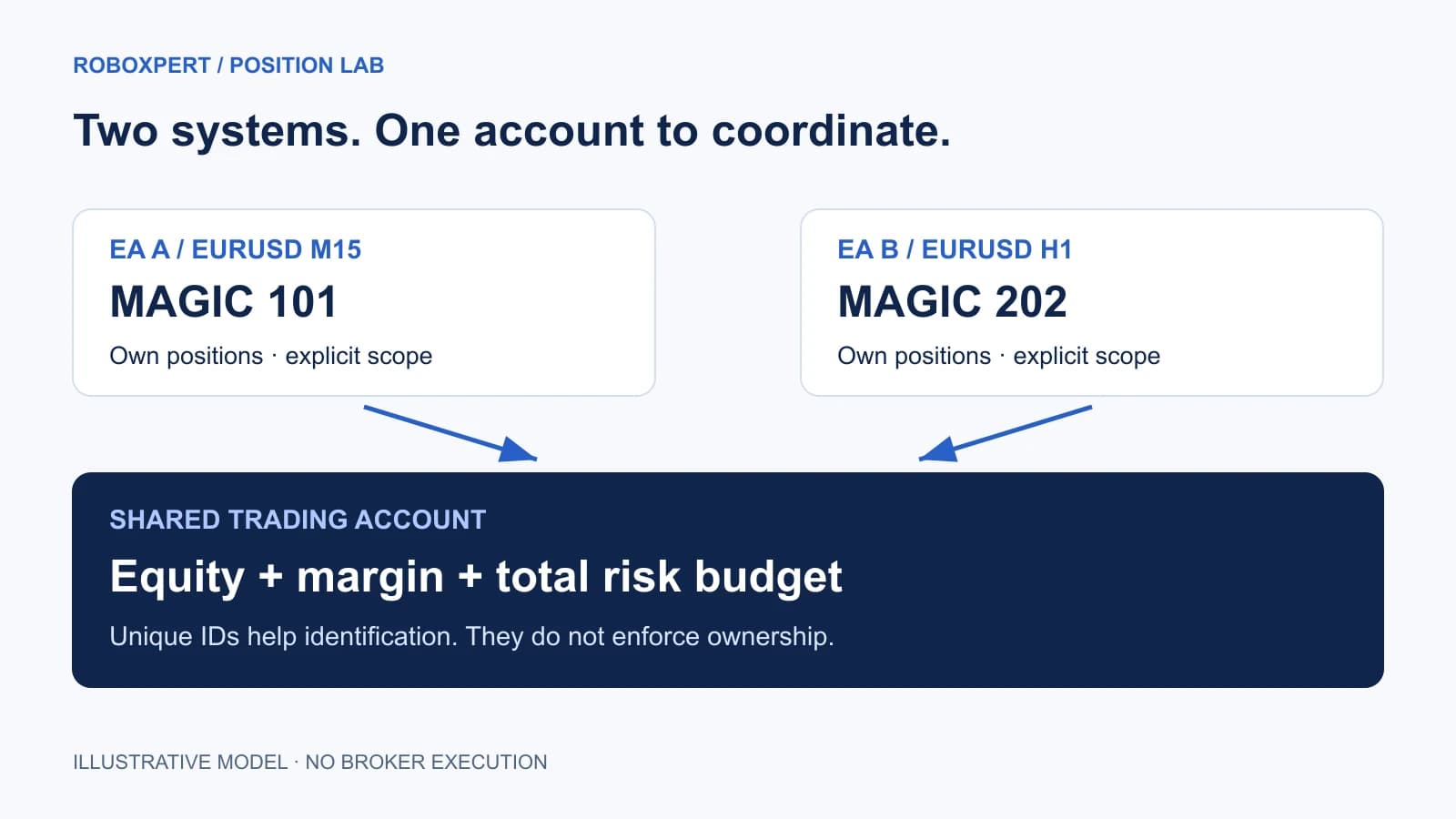
Equity, margin level and stop-out settings are account properties. Separate magic numbers do not create separate balances or margin pools. Check the broker’s actual margin and stop-out rules, including whether thresholds are expressed as percentages or money. Account property reference.
Here is a hypothetical budget example, not a recommended risk level. A $10,000 account has a chosen $200 modeled open-loss budget. A proposes $120 of loss at its planned stop and B proposes $120. Together that is $240, or 2.4% of the assumed equity, which exceeds the chosen 2% budget. Two independent “under 2%” checks would both pass while the combined proposal fails.
The $240 is planned stop-loss exposure under the example’s assumptions, not a maximum possible loss. Gaps, slippage, costs, missing stops, correlated moves and execution failures can produce a different outcome. Opposite positions also need explicit treatment; do not automatically grant them a risk offset solely because their signed lots cancel.
For a shared admission rule, reserve capacity for pending requests as well as filled positions. Otherwise A and B can each read the same spare budget and both consume it. If they run in different terminals, a terminal-local variable alone is not a shared account coordinator. This is our engineering recommendation, not a feature automatically supplied by MT5.
Read equity versus balance drawdown when reviewing floating losses. Individual backtest drawdowns cannot establish the combined portfolio drawdown: their worst periods may differ, position sizing may change with shared equity, and interaction can alter the trades themselves. Reconstruct simultaneous equity where possible and test the combined rules.
Test the combination, not only each EA
The following is an acceptance plan for your demo setup. We have checked the included offline fixtures; the broker-dependent rows remain tests for the actual programs, account and execution environment.
Scroll horizontally if needed
| Case | Controlled action | Evidence required to pass |
|---|---|---|
| Separate ownership | A and B open permitted test positions | Each position/order is attributed according to the recorded contract |
| Wrong-ticket protection | Ask B to manage its position while A’s older ticket exists | A’s volume and protection remain unchanged unless shared management is intentional |
| Manual activity | Add a permitted manual demo trade | Both EAs follow their documented manual-trade policy |
| Opposite signals | Trigger opposing actions on the same symbol | Position count, direction and size match the recorded account-mode expectation |
| Pending order transition | Let a test pending order fill | No duplicate entry during the transition from order to position |
| Restart | Restart one EA with open positions | It reconciles the book and avoids replaying a completed entry |
| Duplicate deployment | Inspect desktop, VPS and copier instances | Exactly the intended instances can initiate trades |
| Shared budget | Arrange two simultaneous entry proposals | The combined admission rule includes outstanding reservations |
| Supervisor intervention | Trigger its demo risk condition | Defined scope is respected; other EAs follow the agreed pause/re-entry policy |
| Rejected action | Use a controlled, documented rejection case | The program reports failure and re-reads actual state without uncontrolled retries |
MetaQuotes documents an asynchronous transition in which a pending order disappears before the resulting position is visible. A naïve “no orders and no positions, so enter” check can duplicate exposure. Position enumeration alone is therefore not a complete reconciliation design. Algo Book explanation.
Likewise, OrderSend() returning true does not establish a filled trade. Inspect response codes and reconcile the resulting transactions. One request can generate multiple trade events, whose arrival order should not be assumed. OrderSend, OnTradeTransaction.
Record expected and observed outcomes separately, with timestamps, versions, exact symbols and request/deal/position references. Remove account identifiers and credentials before sharing logs. The downloadable register has room for unresolved findings; an unchecked row is not a pass.
Reader resource · ZIP
Document the combined setup
An ownership register, expected-versus-observed demo checks and a reproducible collision fixture. Includes boundaries: the fixture is an offline teaching model, not an MT5 execution test.
Download the multi-EA test kitCommon questions
Can I run the same EA twice?
Potentially, if its license and operating design allow it. Establish whether the two instances are independent strategies or intentionally cooperating instances. Independent instances need distinct ownership conventions and must not both act on the same signal by accident. A different chart timeframe alone does not prove separation.
Do two MT5 terminals isolate the EAs?
They isolate program processes. If both connect to the same trading account, they still observe and affect that account. Record both deployments and verify that a VPS copy does not duplicate the desktop’s intended entry stream. Separate process windows are not separate account risk budgets.
How many EAs can one account run?
There is no useful universal number for a robust setup. The answer depends on program behavior, symbols, account constraints and available computing resources. Add one system at a time and measure resource use and combined behavior under representative conditions. A terminal remaining open is not proof that every strategy is behaving correctly.
Is a unique magic number enough?
No. Our fixture demonstrates a wrong-ticket selection even with unique IDs. Account mode, symbol filters, current ticket selection, state reconciliation and total risk all remain part of the setup. Start with the documented contract, then test the particular combination.

Sources & further reading
- MetaTrader 5: attaching Expert Advisors and permissions
- MQL5: SetExpertMagicNumber
- MQL5: PositionSelect
- MQL5: PositionSelectByTicket
- MQL5: position properties
- MQL5 Algo Book: account type
- MQL5: account properties
- MQL5 Algo Book: position lists and asynchronous state
- MQL5: OrderSend results
- MQL5: trade transaction events
Your next question