Learn
Build an MT5 EA with AI: A Tested Signal-Logger Example
At a glance
Start with a written rule, generate a small MQL5 program and compare its behavior with explicit test cases. This example compiles and its signal function passes six native MQL5 checks. It logs closed-bar EMA crossings; it does not place orders or establish profitability.
On this page
You can use AI to build an MT5 Expert Advisor, but the useful starting point is a rule you can test. “Make a profitable trading robot” does not specify what the program should do when a bar closes, data is missing or the terminal restarts.
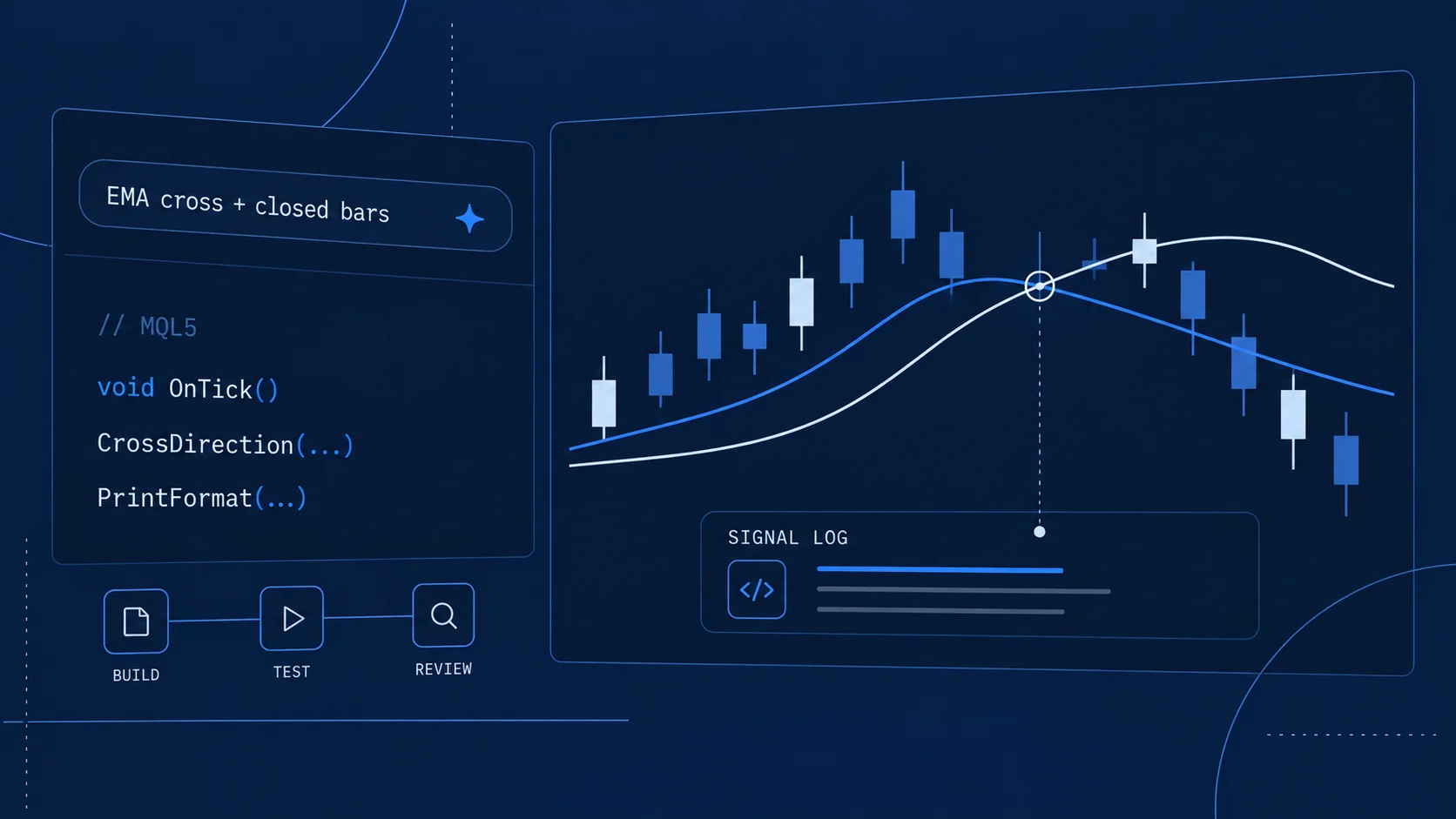
This guide builds a smaller first milestone: an EA that logs a crossing of two exponential moving averages using closed bars. It includes complete original MQL5 source, compiler evidence and six tests of its signal function. AI helped develop the teaching code and article; the evidence below identifies what was actually executed.
There is no order function in this version. That lets you inspect the rule before adding the separate responsibilities of sizing, execution and position management. The EMA periods are illustrative inputs, not recommended settings or a claim of trading advantage.
What are we building, and where is the AI?
The downloadable EA is a deterministic MQL5 program. Once compiled, it compares numerical indicator values. It does not contact an AI service, predict prices with a language model or change its rule autonomously.
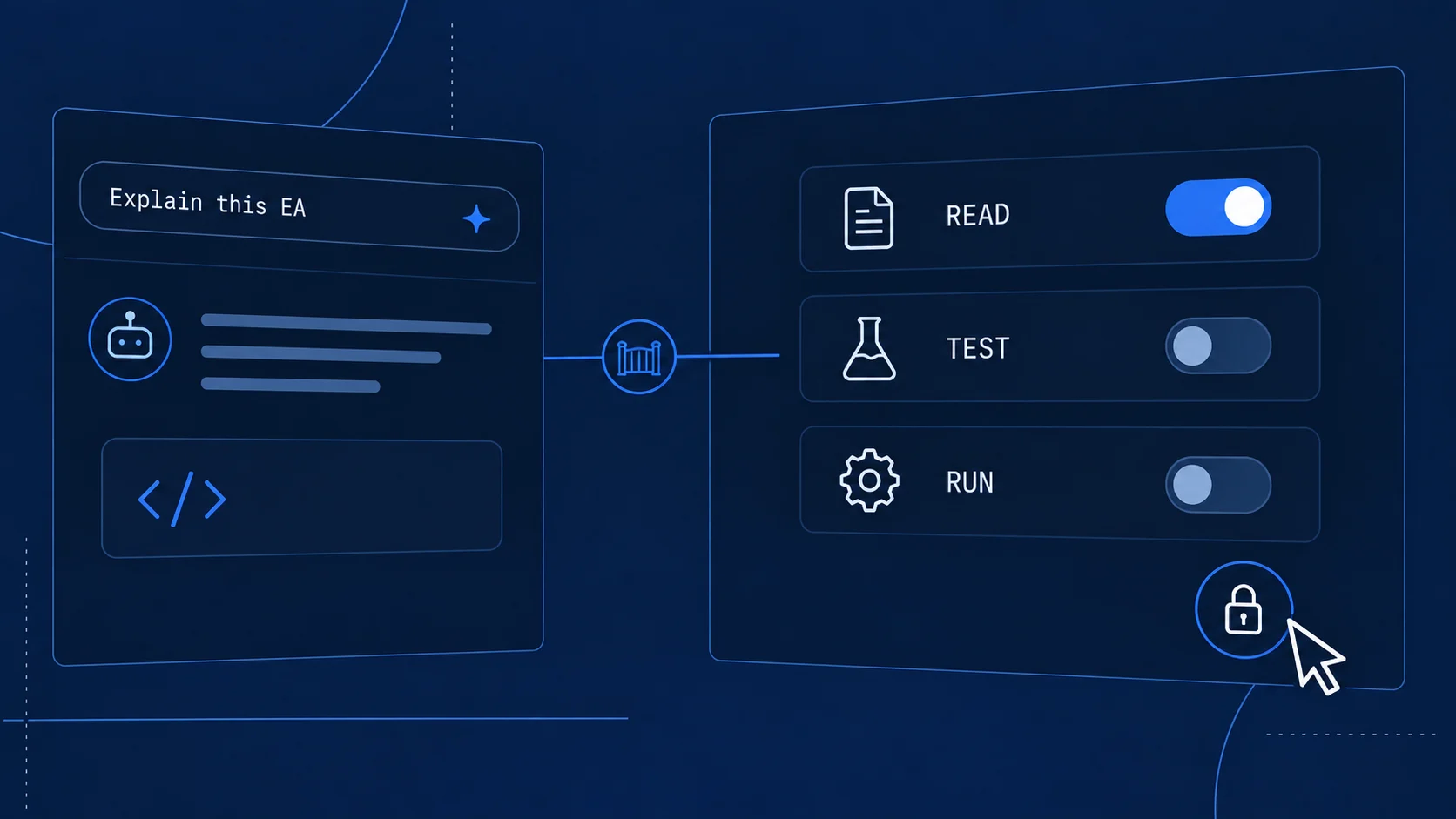
That distinction applies whether you ask an external coding assistant to draft the source or use MetaEditor’s native assistance. The development route can change; the final program still needs review. Our MT5 AI Assistant guide explains the difference between code assistance and an agent with platform tools.
For the first iteration, use this sequence:
- Write the expected behavior, including when nothing should happen.
- Generate one small implementation.
- Inspect the time ordering and state handling.
- Compile it and retain the actual output.
- Execute known test cases and compare expected with observed results.
- Test the platform lifecycle separately before extending the program.
A model’s explanation of why its own code is correct does not replace step five. Choose cases that could contradict the explanation.
Write the rule before writing the prompt
Here is the specification for version 1.00. It deliberately separates a signal from an instruction to trade.
Scroll horizontally if needed
| Decision | This teaching project |
|---|---|
| Data | The attached chart’s symbol and timeframe; EMA of closing price |
| Inputs | Fast period 10, slow period 20; fast must be positive and slow greater than fast |
| Upward crossing | On the older closed bar, fast is at or below slow; on the newer closed bar, fast is above slow |
| Downward crossing | Older fast is at or above slow; newer fast is below slow |
| Equality on the newer bar | No signal |
| Evaluation time | The first usable tick after a new closed bar becomes available |
| Output | One log row for that processed bar: time, four EMA values and direction 1, −1 or 0 |
| Missing data | Wait for enough calculated values; retry on a later tick if the reads fail |
| Attachment or restart | Skip the already closed bar; wait for another closed bar |
| Disconnection | No replay of every missed bar; inspect the newest closed pair when processing resumes |
| Exposure and account model | No orders or positions; netting/hedging management is outside this version |
Notice that “closed bar” is not the same as “right now.” In a tick-driven EA, processing requires another tick. A market pause or missing feed can delay the observation. Do not describe the log as an exact wall-clock timer at every minute boundary.
If your eventual goal is an executing EA, write a second specification before extending this one: permitted account model, maximum exposure, order type, volume calculation, stop rules, exit behavior, spread limits, ownership of existing positions, rejection handling and restart recovery. Those choices are too consequential to leave as unstated defaults in generated code.
Give the coding assistant a bounded task
You can use this prompt with a coding assistant that supports MQL5. Keep current documentation available and ask it to identify ambiguity before implementation.
Create a small educational MT5 Expert Advisor in MQL5, not MQL4.
It must log signals only. Do not add trade, DLL, file or network operations.

Use EMA of close on the attached chart, fast=10 and slow=20 by default.
Require fast >= 1 and slow > fast. Create iMA handles in OnInit and
release them in OnDeinit. Read only closed bars at shifts 2 and 1.

Up: older fast <= older slow AND newer fast > newer slow.
Down: older fast >= older slow AND newer fast < newer slow.
Otherwise return 0. Put this comparison in a pure function with explicitly
named older/newer inputs. Do not use the current unfinished bar.

Process each new closed-bar timestamp at most once after a successful read.
On initialization skip the already closed bar. If history is initially
unavailable, prime the timestamp when it becomes available without replaying.
Retry incomplete indicator reads on a later tick. Log the bar time and
the exact four values used. Do not replay every bar missed during a gap.

First restate the behavior and any uncertainty. Then provide complete source
and a table of positive, negative and equality cases. Do not claim that you
compiled or executed the result unless you actually used the required tools.
This is a specification template, not a claim that every model will produce our file verbatim. Keep a copy of the prompt, the returned source and your changes. When requesting a fix, supply the smallest failing case and the exact compiler message. Ask for a focused change rather than a full strategy rewrite, then inspect the diff.
Review the MQL5 logic before compiling
Two errors are especially easy to miss: mixing MQL4 and MQL5 indicator APIs, and reversing the two values returned by a buffer read.
Handles are not indicator values
In MQL5, iMA returns an indicator handle. The program obtains calculated values through CopyBuffer. Code that treats the return from iMA as the latest EMA value may resemble an older example while implementing the wrong thing.
Our source creates two handles during initialization, checks for invalid handles and releases them when the EA is removed. It also rejects an invalid period combination before creating them.
Read closed bars in the right order
The central buffer read is:
double fast[2], slow[2];
if(CopyBuffer(fast_handle, 0, 1, 2, fast) != 2 ||
   CopyBuffer(slow_handle, 0, 1, 2, slow) != 2) return;
int signal = CrossDirection(fast[0], slow[0], fast[1], slow[1]);
In this call, start position 1 excludes the current, unfinished bar. Two values are requested. CopyBuffer places the older requested value at the beginning of the destination memory, so these fixed arrays hold shift 2 at index 0 and shift 1 at index 1. Source: MQL5 CopyBuffer.
The comparison function names that order explicitly:
int CrossDirection(double fast_old, double slow_old,
                   double fast_new, double slow_new)
{
   if(fast_old <= slow_old && fast_new > slow_new) return 1;
   if(fast_old >= slow_old && fast_new < slow_new) return -1;
   return 0;
}
The full file also records the processed timestamp only after successful reads. Recording it before the reads would suppress the retry for a bar whose indicator data was temporarily unavailable. A second timestamp check rejects a read if the bar boundary changed during processing.
That is a source review of the surrounding event logic. It is not a claim that every data-loading or reconnect scenario was reproduced in our lab.
What we actually tested
On 26 September 2026, both source programs compiled with zero errors and zero warnings. The included test harness executed the exact CrossDirection function from the EA, by including its source, in an isolated MT5 build 6230 terminal under Wine 10.0 on macOS. The terminal had no trading account or broker connection.
The harness used the existing synthetic RX.LAB M1 chart only as a place to initialize. The function inputs below are hand-selected numerical fixtures, not calculated EMAs from market history. No spread, commission, slippage or deposit model applies because no order or performance simulation ran.
Scroll horizontally if needed
| Case | Older fast / slow | Newer fast / slow | Expected | Observed |
|---|---|---|---|---|
| Upward crossing | 99 / 100 | 101 / 100 | 1 | 1 |
| Downward crossing | 101 / 100 | 99 / 100 | −1 | −1 |
| Already above | 101 / 100 | 102 / 100 | 0 | 0 |
| Leave equality upward | 100 / 100 | 101 / 100 | 1 | 1 |
| Leave equality downward | 100 / 100 | 99 / 100 | −1 | −1 |
| Reach equality only | 99 / 100 | 100 / 100 | 0 | 0 |
The native result file reports six cases, zero failures. These tests check the decision function and its equality boundaries. They do not exercise the EA’s OnTick buffer reads, per-bar deduplication or reconnect behavior. Those need an additional chart or tester session with observable indicator data.
A deliberate bug that compilation will not catch
We also reversed the older and newer arguments for the upward-crossing case. This is an intentionally introduced mutation, not a story about a randomly discovered AI mistake. Instead of the expected 1, the native function returned −1. The test detected the change.
All four arguments are valid numbers in either order. A compiler cannot infer which point in time you meant. This is why an upward case, a downward case and a no-cross case are more informative than “the code compiled.”
Compile and reproduce the checks
Reader resource · ZIP
MT5 signal-logger teaching project
MQL5 source, six-case test harness, observed results, compiler logs and a reproduction README. No executable or trading-account credentials.
Download the MQL5 projectThe ZIP contains RoboXpert_ClosedBar_EA.mq5, RoboXpert_Cross_Tests.mq5, the observed result file, compiler logs, a README and an MIT license. It contains source, not a precompiled trading product.
Open your terminal’s data folder and place both source files together in a dedicated subfolder of MQL5/Experts. Open each in MetaEditor and compile it. Check the Errors panel, including warnings; do not infer success only from a generated filename. If you are setting up the platform on macOS, see our installation walkthrough.
In an isolated demo or account-free test installation, attach the test harness to an available chart. Its checks use constants and do not need market ticks. It writes roboxpert-contract.txt in that terminal’s MQL5/Files folder and deliberately returns INIT_FAILED after recording its results. The initialization failure is its documented stop behavior, not a failed assertion; inspect failures=0 in the report.
Keep this harness separate from the signal logger. The logger stays attached, waits for subsequent usable ticks and logs the newest closed pair. The harness runs the six synthetic checks once and stops. Neither sends orders.
For your next integration check, attach the logger to a demo chart with sufficient history. Record symbol, timeframe, timezone, build and periods. Match its four logged values to EMAs on the two closed bars. Observe a crossing and a no-cross bar, then confirm repeated ticks do not produce another row for the same timestamp. Remove and reattach it to check the documented restart behavior. These are reader reproduction steps, not completed lab results claimed here.
What changes when you add orders?
Do not turn signal == 1 directly into an unrestricted buy request. First decide what the EA owns and what existing exposure means. In a netting account, other activity on the same symbol can affect the shared position. In a hedging account, multiple positions need explicit handling. The logging example avoids these decisions; an executing version cannot.
Then validate the request against the instrument and account: volume limits and increments, permitted order and filling types, market state and protective-order distances. Define what happens after rejection, partial execution, reconnect or restart. Repeatedly resending a request without checking actual state can create unintended exposure.
Even a successful OrderSend return is not proof of a completed fill. MetaQuotes requires examining the trade-server return code and subsequent execution state; transaction events can provide the later outcome. Source: OrderSend. Our EA-not-trading diagnostic guide separates signal generation, permission checks, requests and their results.
A passing function test is the first milestone
This project establishes that two small programs compile and a specific signal function produces the expected outputs for six fixtures. It does not establish a profitable strategy, a complete trading robot or reliable live execution.
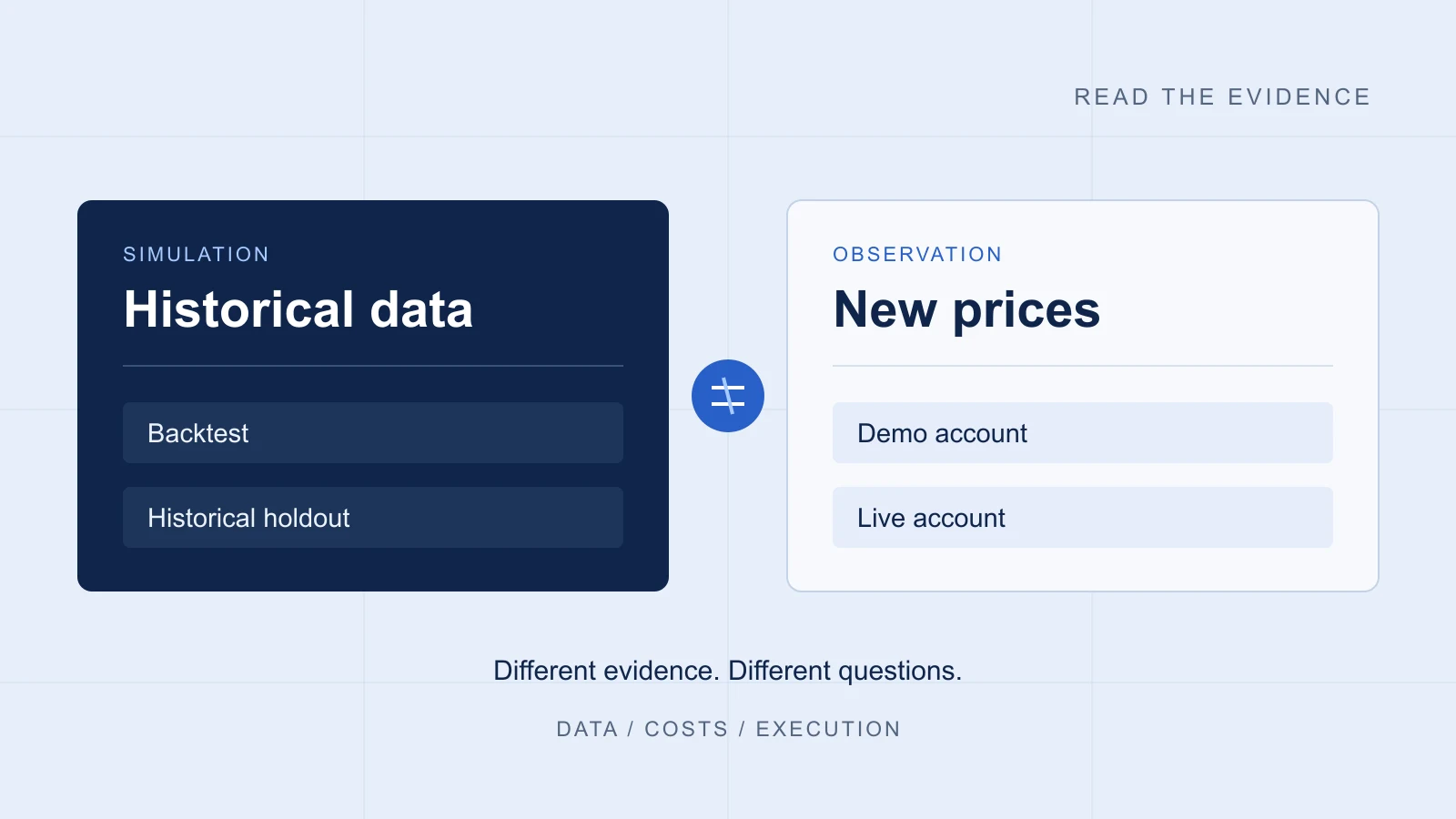
Historical strategy testing adds market data, costs and a defined execution model. Historical out-of-sample testing asks a different question from reusing the development period. Demo-forward observation adds ongoing operational behavior, while live results add actual financial exposure. Our backtest versus live guide explains those evidence boundaries.
Keep the source and test cases versioned together. Change one behavior at a time, add a case that would fail under the old behavior, and check the result before moving on. That gives AI a precise development task and gives you a concrete way to evaluate its work.

Sources & further reading
Your next question